The Problem

Why Generic Tools Fail at HPDEs

Most organizers rely on registration software to manage their paddock, or generic mass-texting tools to alert drivers. But track days move fast, cell service is spotty, and standard tools break down.

  • PA Systems: Useless against wind, helmets, and GT3 exhausts.
  • SMS / Texting (Twilio): Carrier delays mean drivers miss grid calls. Plus, you pay per message — penalizing you when you need to communicate delays.
  • Registration Tools (MotorsportReg, ClubReg): Great for taking payments, but not built for live, on-track schedule shifts.
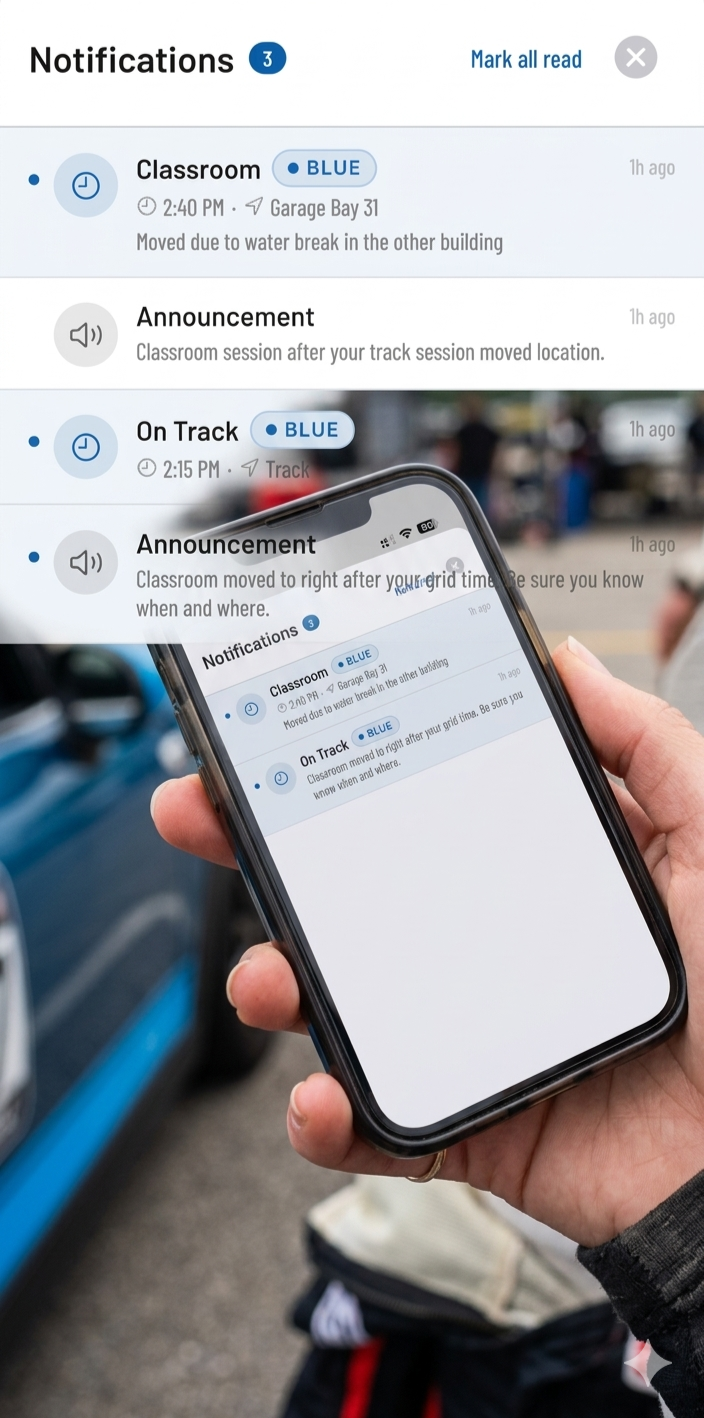
iPhone showing on-time broadcast notifications from Track Time Alerts

Built Specifically for Run Groups

Track Time Alerts isn't a generic messaging app. It's a purpose-built ecosystem designed around the unique operational needs of an HPDE track day.

Dynamic Instructor Pairings

No more morning driver's meeting confusion. Our role-adaptive UI shows drivers exactly who their instructor is — with photo and contact info. Instructors get a dedicated tab listing all their assigned students for the day. Tap to call or email instantly.

Native Push Notifications

Deliver 5-minute grid warnings directly to a driver's lock screen. Because we use native iOS and Android push notifications — processed through high-speed enterprise queues — alerts are instantaneous and cost you absolutely nothing extra to send.

Live "Hot Track" Dashboard

Drivers don't have to guess who is out there. The mobile app features a swipeable session carousel and a pulsing "Live" indicator that shows exactly which run group is on track right now — time-zone-adjusted automatically.

For Event Chairs

The Organizer Command Center

Run your entire event from the tower using our web-based admin portal. We built the tools so you don't have to fight with Excel.

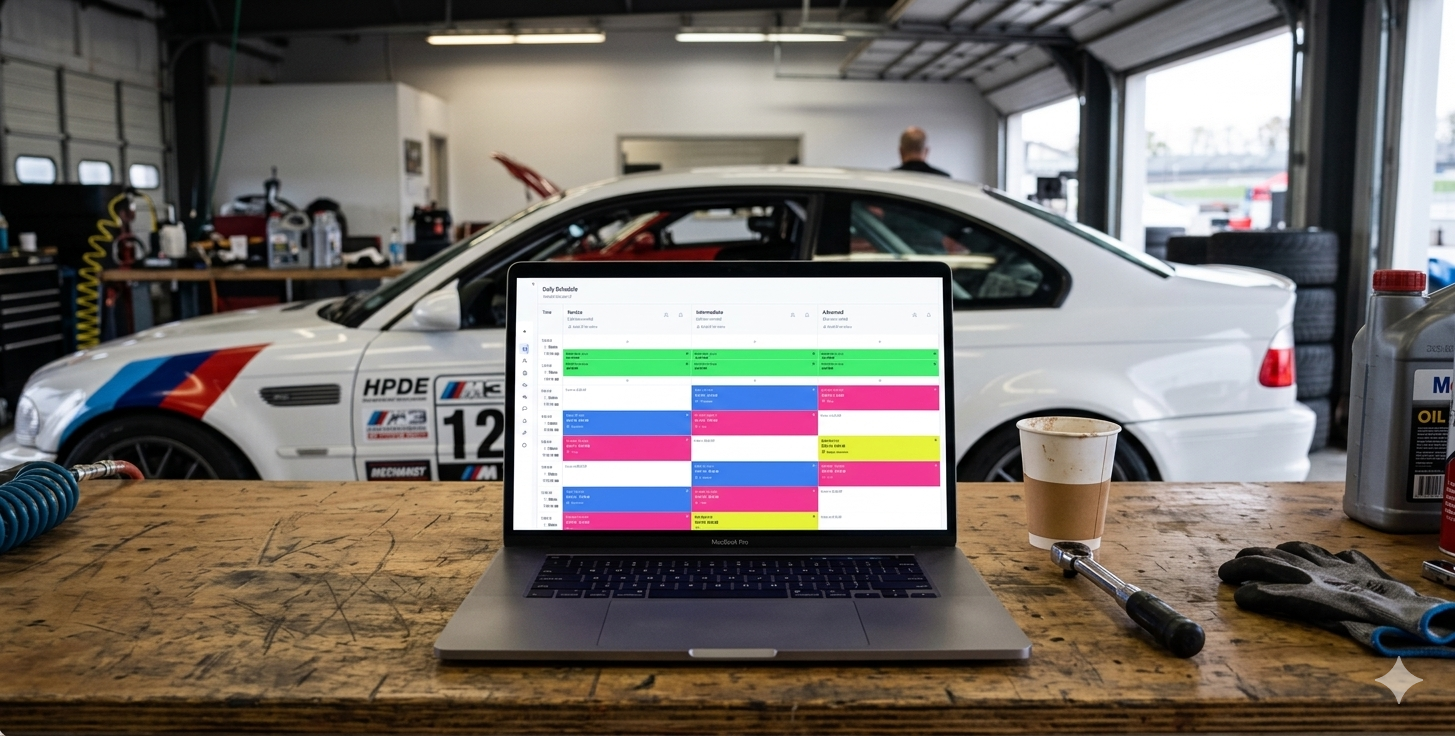
  • Drag-and-Drop Scheduler: Build your run groups in columns and time slots in rows. Drag session templates onto the grid in seconds.
  • Conflict Detection: The system automatically flags location conflicts if two sessions overlap.
  • One-Click Day Copy: Duplicating your Saturday schedule to Sunday takes a single click, fully DST-aware.
  • In-App Event Documents: Attach track maps, tech forms, and schedules directly to the app so drivers don't have to hunt through their email.
Drag-and-drop scheduler grid showing run groups across the event day

Clear the Grid. Control the Paddock.

Your drivers judge you on organization as much as they do on track time. Give them the professional, mobile-first experience that guarantees they book your next event before they even leave the track.

Run Your First Event Free

Set up takes less than 10 minutes.